SeasonReady

SeasonReady

Workforce management built for seasonal teams

Wireframe design and visual development: MindLabs

This is the SeasonReady worker app as it currently stands — every screen, captured from the running build rather than drawn separately.

It covers the whole journey: activating an account before leaving home, arriving and finding your way around, checking in on wellbeing, asking for support, reporting a problem, and reading the information you need to live and work well through a season.

Reviewing it as one connected journey makes it easier to see where the experience holds together and where it still needs work.

A shared reference for the team

The purpose is to give everyone something clear and visual to review together.

It can help answer questions such as:

  • Does the journey through the app make sense?
  • Is anything missing between one step and the next?
  • Is the language plain enough for someone reading it in a second language?
  • Does a worker always know what happens after they send something?

How it was built

Every screen here is a real screenshot of the running React app at 402×874, not a mockup.

That means what you see is what the build actually does today, including the states that only appear part-way through a flow.

Where a screen depends on earlier answers, the session was set up first so the screen renders as a worker would really see it.

What to look at first

Three things are worth particular attention:

  • The opening screens, which a worker meets before they have any account.
  • The three send-something flows — wellbeing, support and report — which all end with a clear confirmation.
  • The anonymous option on reports, and whether its consequences are stated plainly enough.

Colour

Blue #147cf8
Blue dark #0e68d8
Blue light #418fff
Yellow #ffc901
Gold #d99a00
Navy #071744
Body #53658f
Muted #8290af
Pale blue #f3f7ff
Pale yellow #fff7d6
Border #dce7f8
Error #c63d4f
Nunito Sans · SeasonReady
body 15/1.6, subhead 600, bold 700, display 800
weights 400/600/700/800 · blue and yellow on white · 14px card radius · offset card and button shadows

The 26 screens, as built

1Welcome

Full-bleed Hawke's Bay orchard, the lockup at the top, one way in.

Welcome screen
2Worker ID

The only thing asked for up front. The employer is found from it.
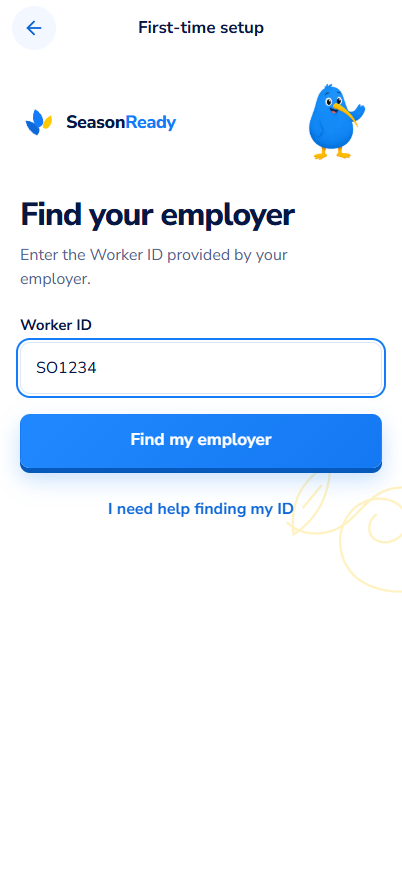
Worker ID screen
3Matched account

Confirms the employer and name before any account exists.
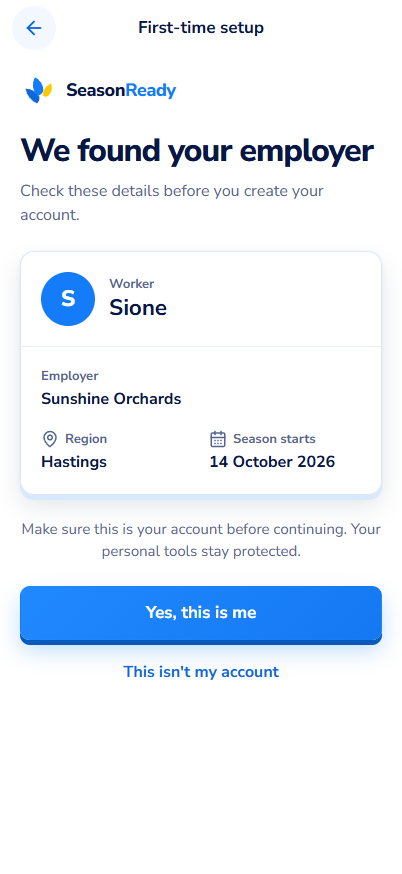
Matched account screen
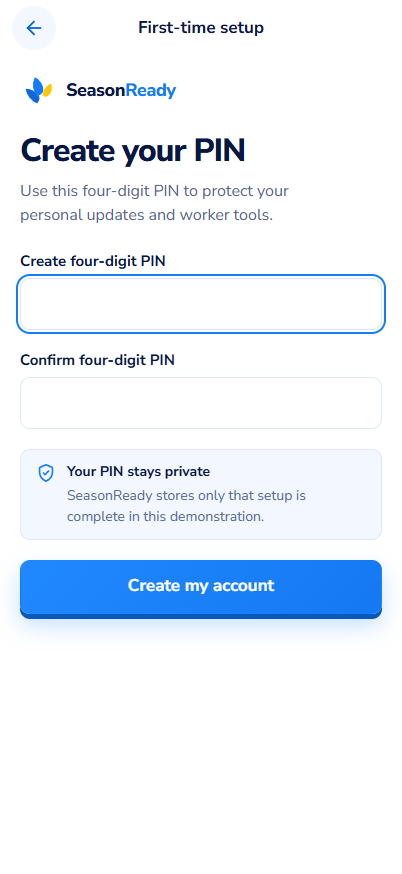
4Create PIN

Four digits, entered twice. No password, no email.
Create PIN screen
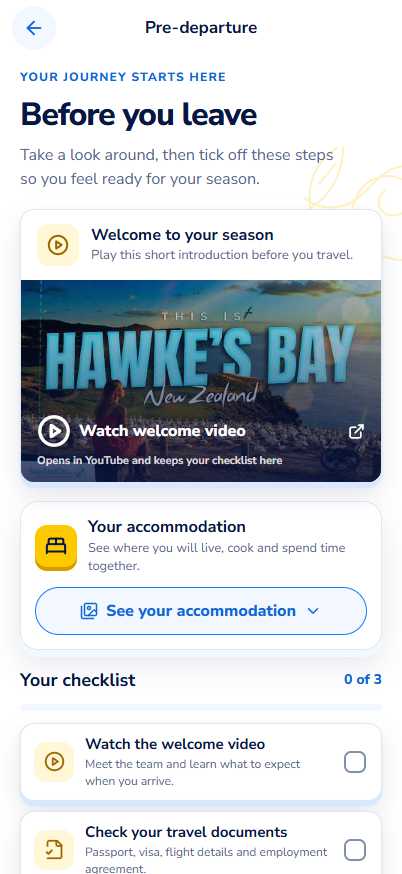
5Before you leave

Accommodation photo tour and a checklist, completed before arrival.
Before you leave screen
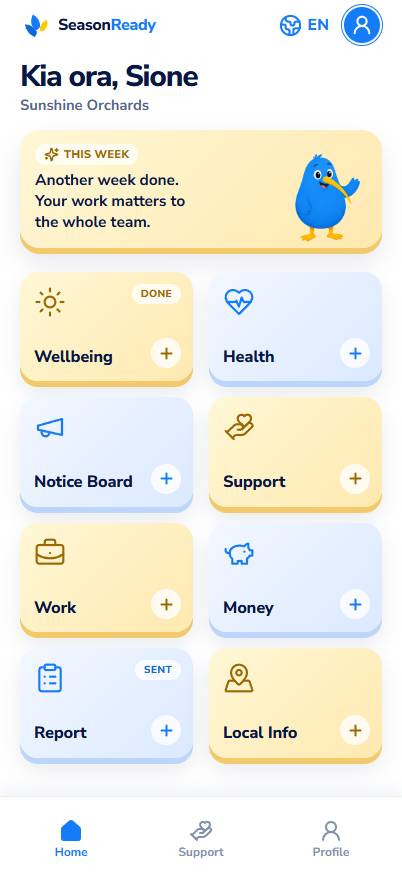
6Worker Home

Greeting, a weekly encouragement, then eight tiles in a two-column grid.
Worker Home screen
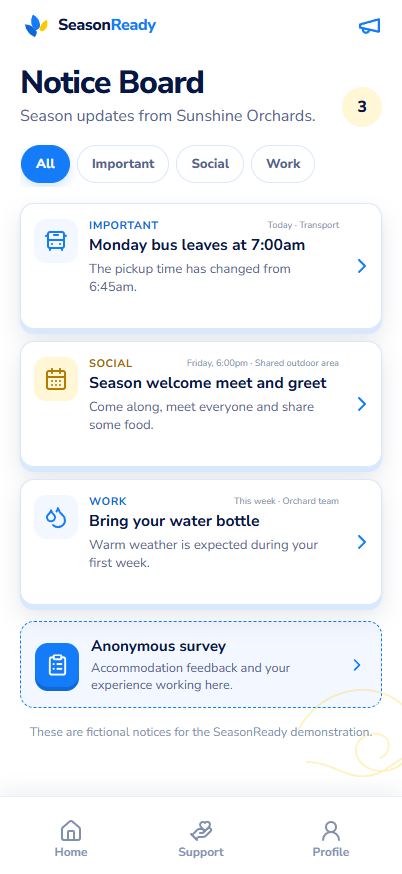
7Notice Board

Employer notices, urgent ones first, plus an anonymous survey.
Notice Board screen
8Work / shifts

Published roster for the week ahead.

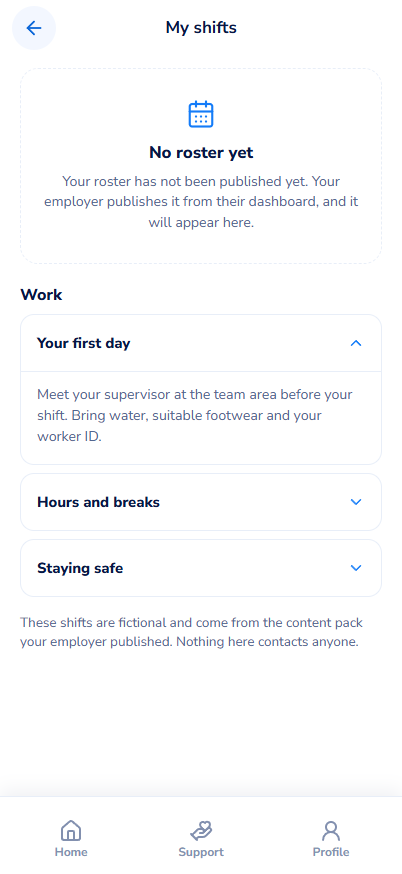
Work / shifts screen
9Wellbeing 1 of 2

A face scale for mood, then energy and sleep.
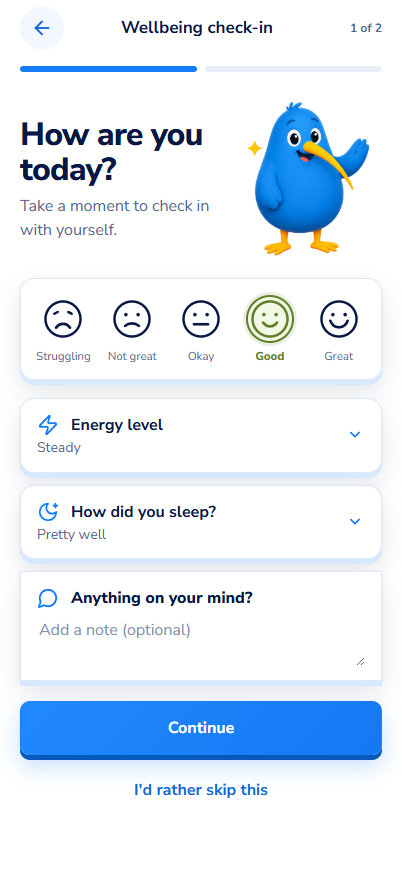
Wellbeing 1 of 2 screen
10Wellbeing 2 of 2

Morale, homesickness and things at home.
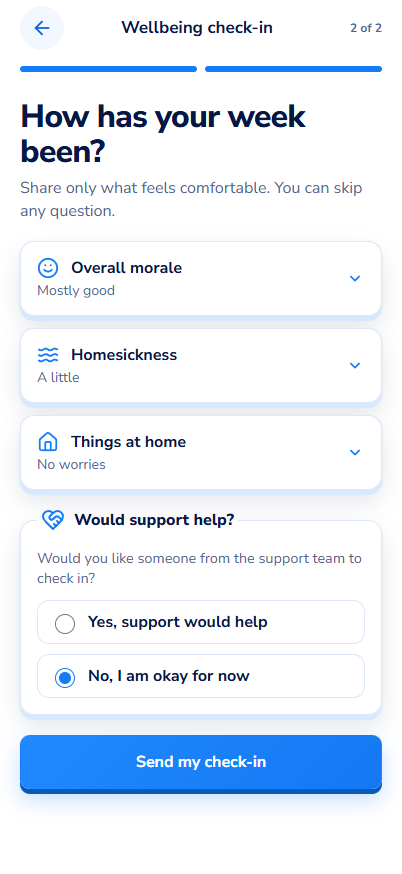
Wellbeing 2 of 2 screen
11Wellbeing sent

Thank-you, and a direct offer of personal support.
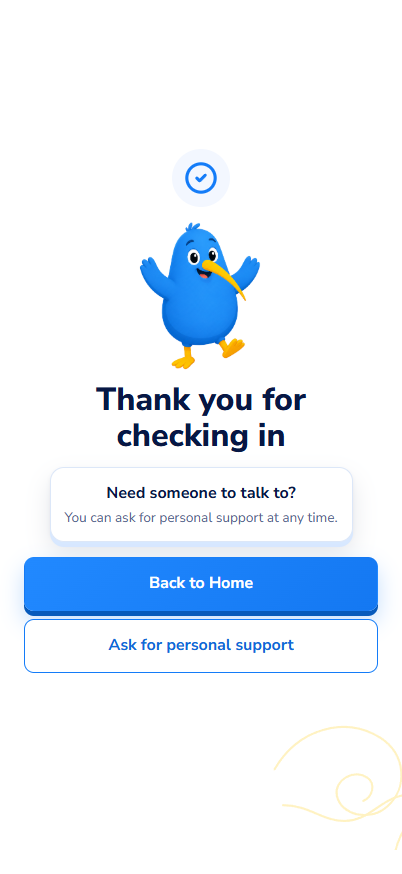
Wellbeing sent screen
12Ask for support 1 of 3

Five categories, chosen before any detail is asked for.
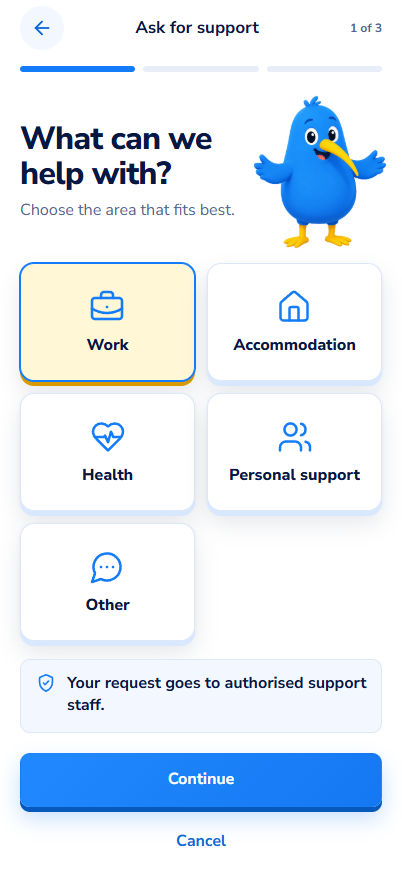
Ask for support 1 of 3 screen
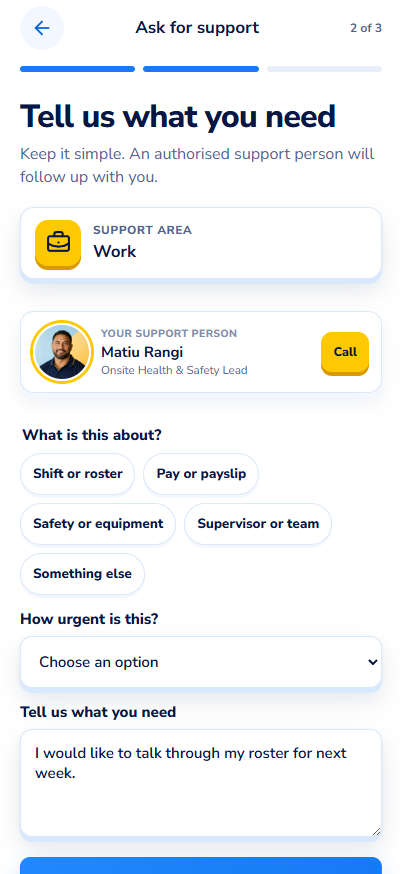
13Ask for support 2 of 3

Reason, urgency and a free description.
Ask for support 2 of 3 screen
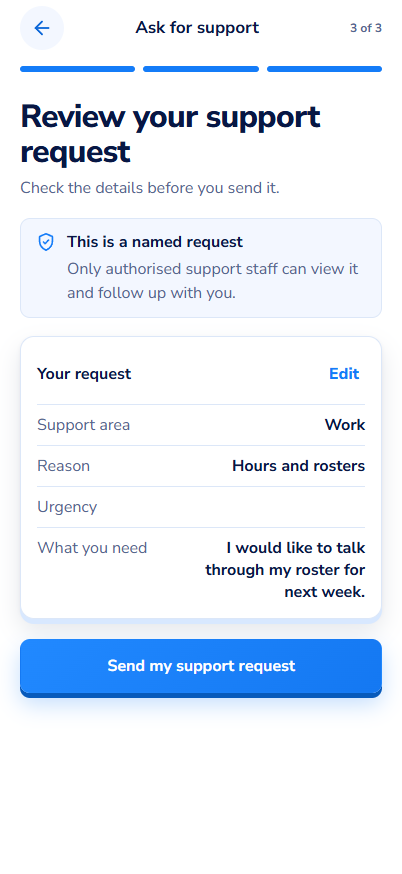
14Ask for support 3 of 3

Everything shown back before it is sent.
Ask for support 3 of 3 screen
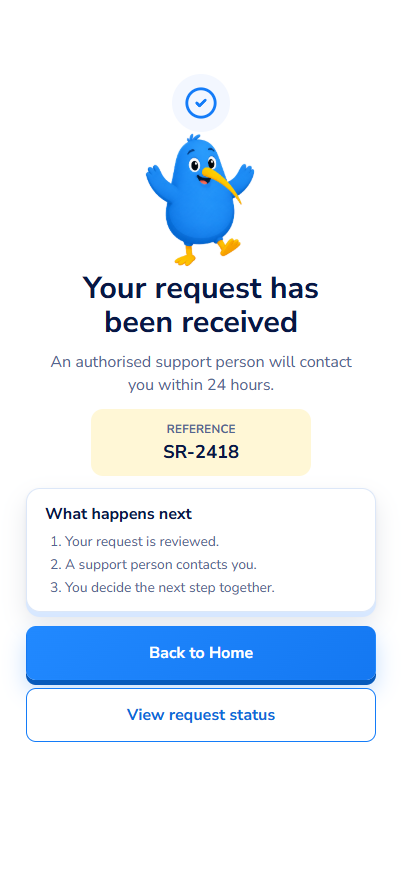
15Support requested

Reference number and what happens next.
Support requested screen
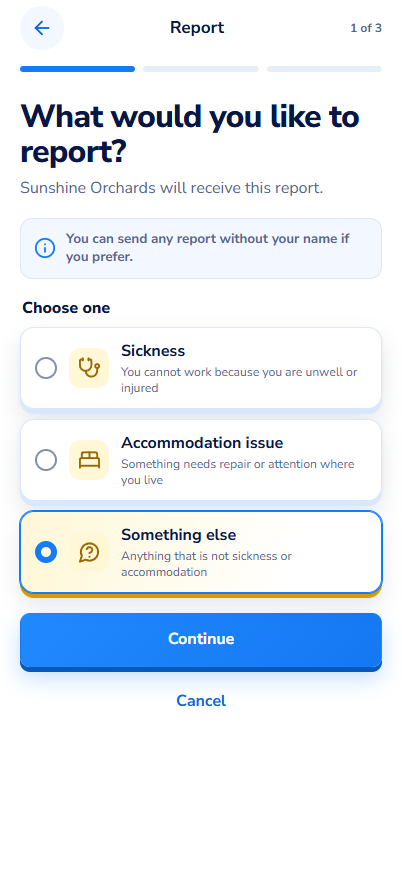
16Report 1 of 3

Sickness, accommodation, or something else.
Report 1 of 3 screen
17Report 2 of 3

Topic list for the chosen kind, plus an optional note.
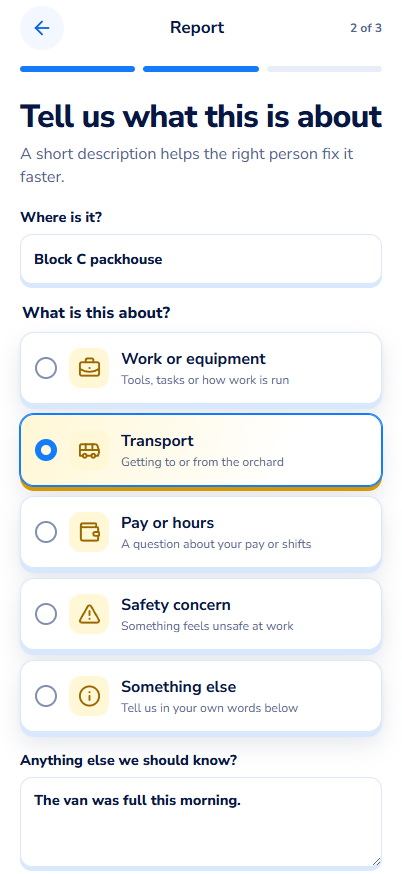
Report 2 of 3 screen
18Report 3 of 3

Review, including whether it is anonymous.
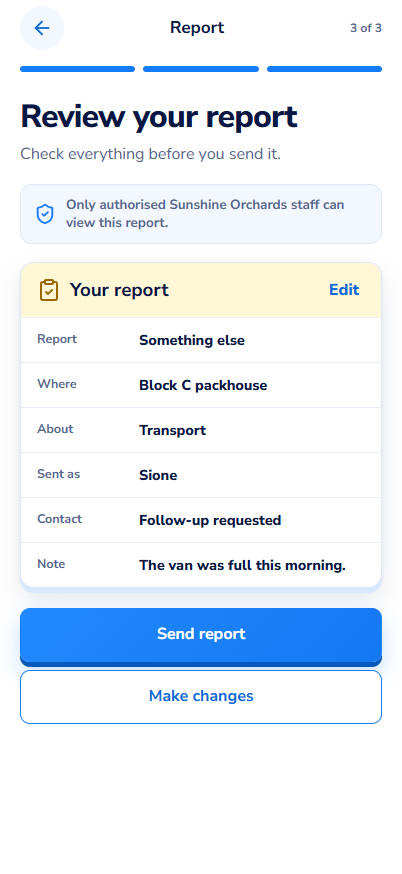
Report 3 of 3 screen
19Report received

Reference number, and who will follow up.
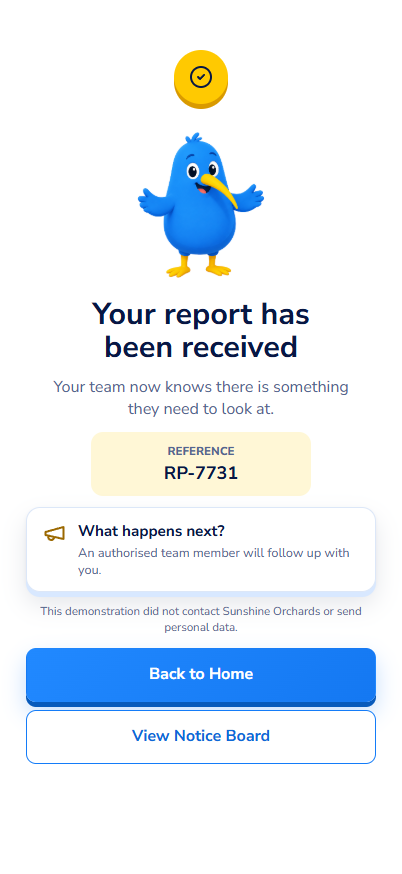
Report received screen
20Profile and settings

Language, notification preferences and account details.
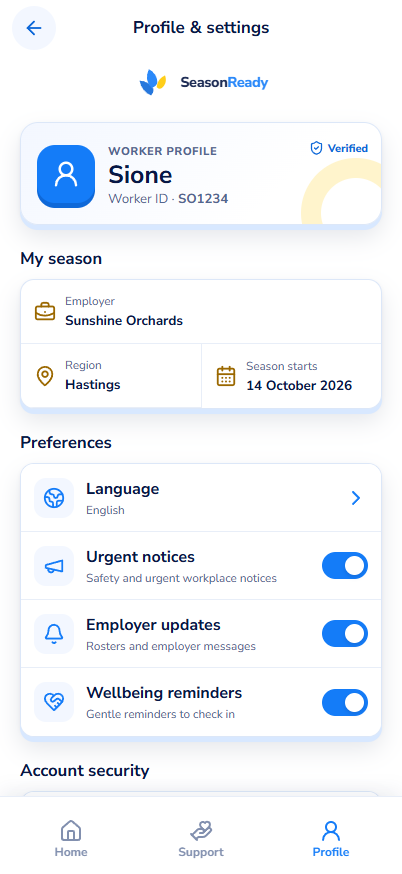
Profile and settings screen
21Local Info hub

Eight topics covering work, health, money and living here.
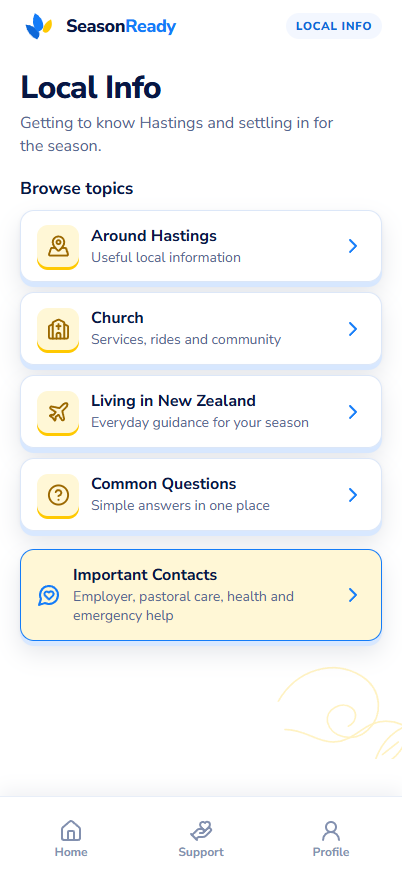
Local Info hub screen
22Info: Work

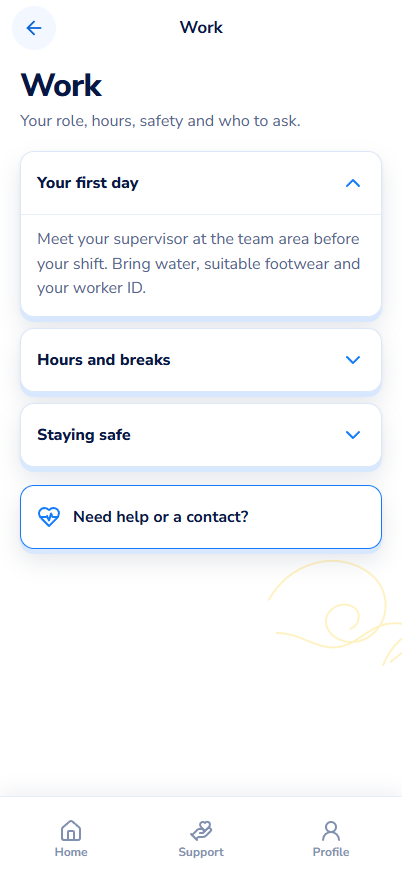
Role, hours, safety and who to ask.

Info: Work screen
23Info: Health

ACC, insurance and where to go when unwell.
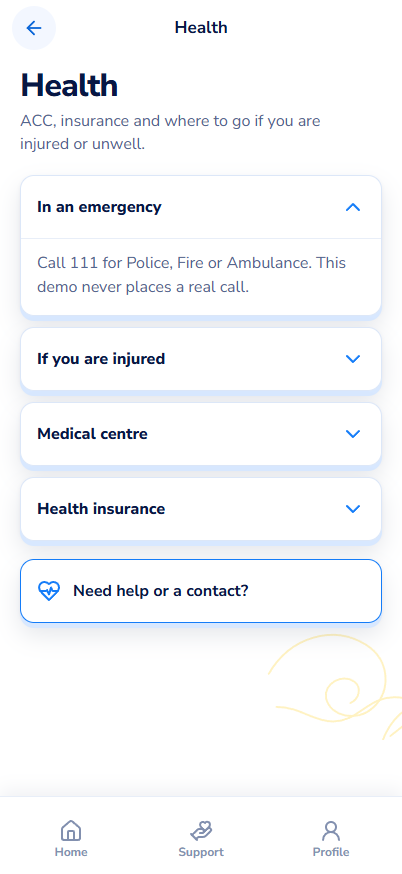
Info: Health screen
24Info: Around Hastings

Practical information for living locally.
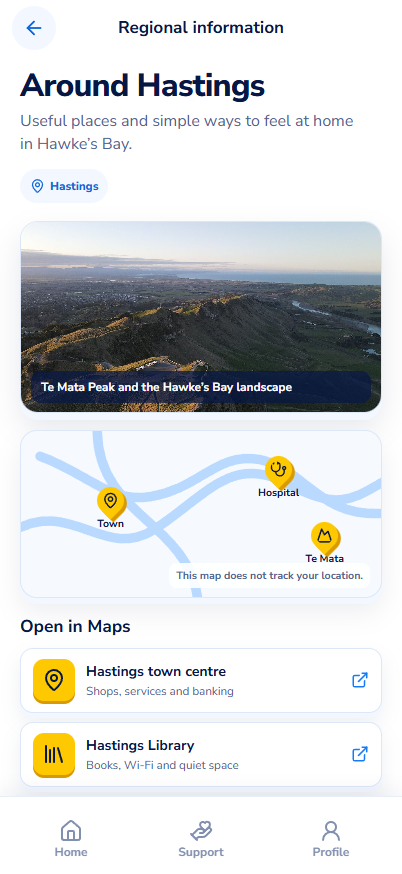
Info: Around Hastings screen
25Info: Money

Saving through the season, with a simple plan.
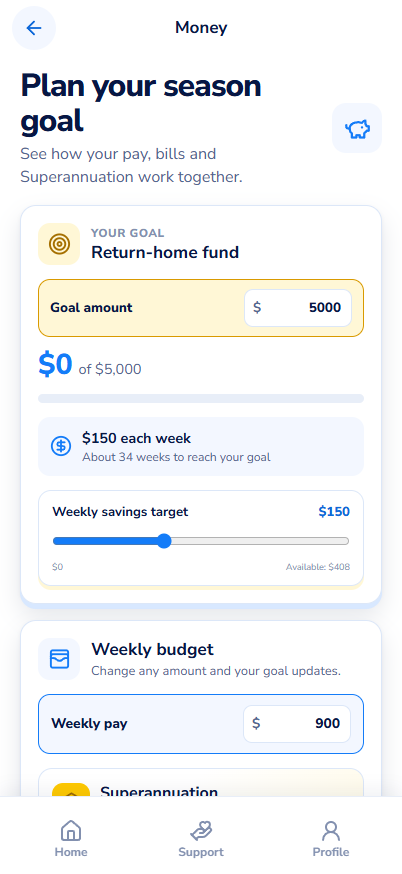
Info: Money screen
26Info: Contacts

Named people, with a direct route into Ask for support.
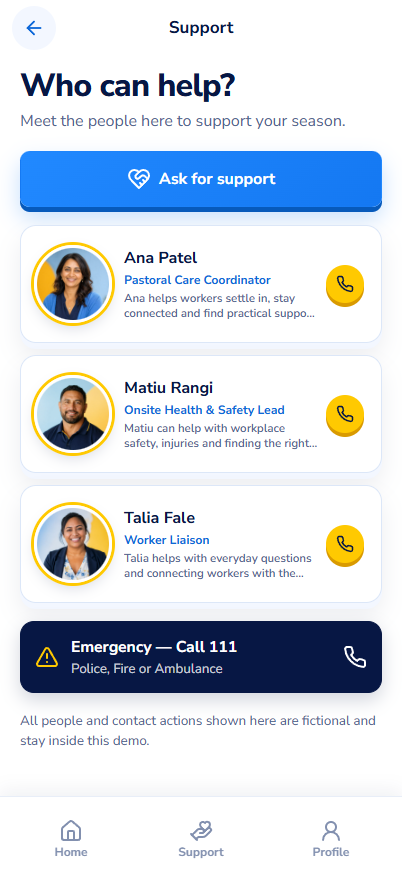
Info: Contacts screen

SeasonReady — a MindLabs project. Screens captured from the running build.